Skip to content
Browserbase
    • Primitives
      • BrowsersCloud browsers for your agent to use the web
      • AgentsScale fully managed browser agents with simple prompts
      • SearchFind relevant websites from a single query
      • FetchRetrieve web data as agent-ready HTML, JSON, or markdown
      • RuntimeScalable, sandboxed environments for agent deployments
      • IdentityAuthenticate your agent to navigate the web like a human
      • ModelsUse any model with a single API key
      • ObservabilityUnified debugging your agent across replays, logs, and prompts
    • Open Source
      • Browse CLIGive your agent browsing skills with a single command
      • StagehandThe most popular AI browser automation framework
    • Use Cases
      • Browser Agents
      • Automated Testing
      • Workflow Automation
      • Web Data Extraction
      All use cases
    • Industries
      • AI & Agent Platforms
      • Healthcare
      • Fintech
      • GTM
      • Legal
    • Resources
      • Blog
      • Customers
      • Enterprise
      • Templates
  • Pricing
  • Docs
  • Log in
Log in
Sign up
Get a demo

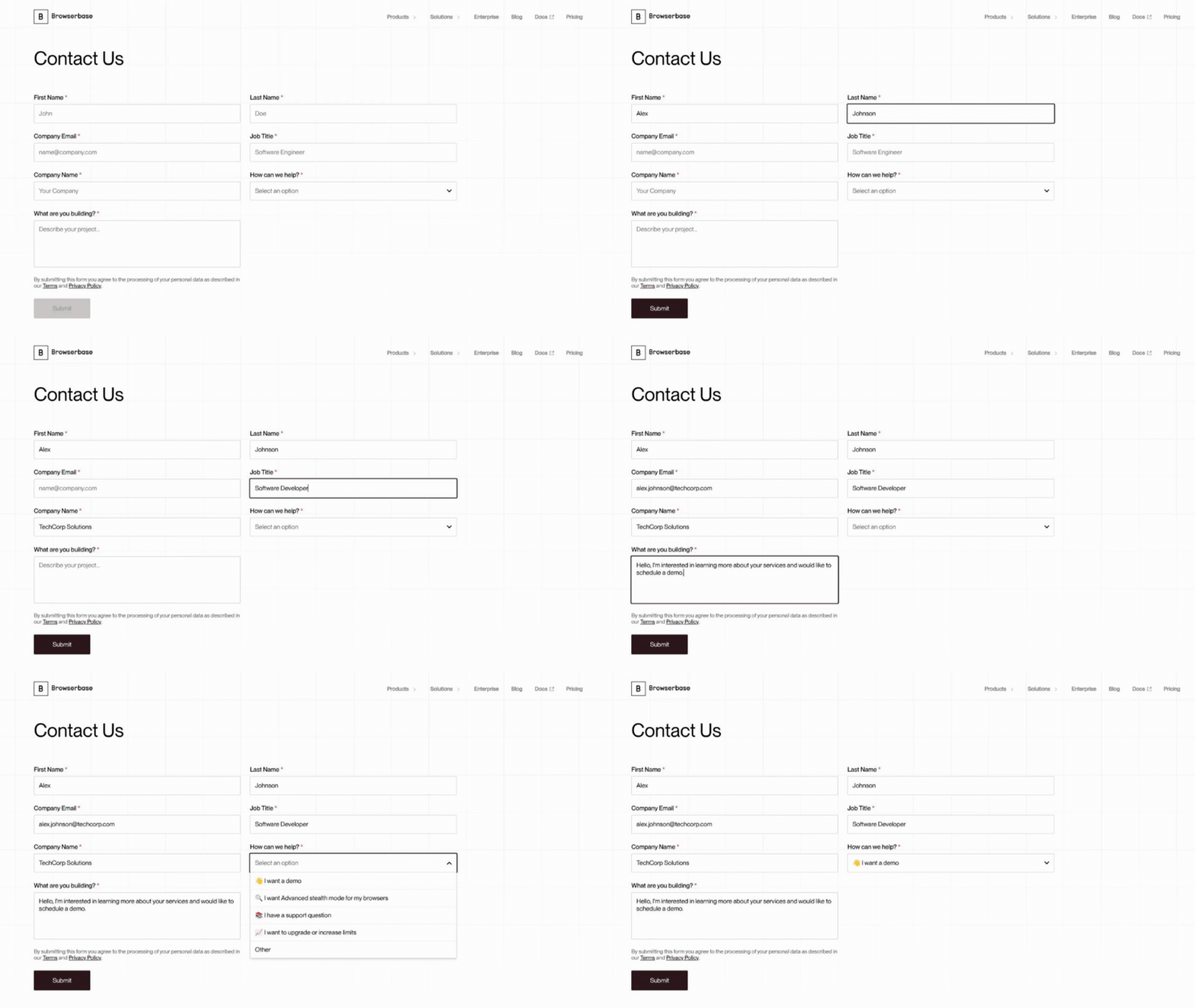
Fill forms automatically

Fill web forms automatically by mapping your data to fields dynamically without selectors

Fill forms automatically demo

Works with

TypeScriptTypeScriptPythonPythonStagehandStagehand

Built by

Browserbase

Support

support@browserbase.com

Resources

Browserbase docsStagehand websiteStagehand docs
Run in Playground Try in Agents
Copy prompt to run with your AI agent
npx create-browser-app --template form-filling
uvx create-browser-app --template form-filling
Run in Playground Try in Agents

Send this template to your email, or view it on your desktop for the source code.

Automate form filling without brittle selectors

Fill web forms reliably without hard-coding selectors. This template analyzes form fields, matches your data to the right inputs, and fills them dynamically, making automations more durable across different layouts. Perfect for lead capture, QA testing, bulk registrations, and survey submissions.

Steps

  1. Create a Browserbase session and navigate to the form URL.
  2. Stagehand scans the page to detect all input fields and build a field schema.
  3. Provide your data object (e.g., name, email, company), and Stagehand maps values to the right fields.
  4. The script fills inputs, handles validation, and submits the form.

Most Popular Templates

Verify real estate licenses

Verify real estate licenses and extract status, expiration, and holder details automatically

Verify real estate licenses

Smart fetch scraper with browser fallback

Scrape webpages using the fastest method available: Fetch API first, full browser session as fallback for JS-rendered pages.

Smart fetch scraper with browser fallback

Human-in-the-loop agent

Build a human-in-the-loop AI agent that pauses for user input mid-task, then resumes autonomously with Stagehand and Browserbase.

Human-in-the-loop agent
Browserbase

Primitives

  • Browsers
  • Web APIs
  • Runtime
  • Identity
  • Model Gateway
  • Observability
  • Stagehand
  • MCP

Industries

  • AI
  • Healthcare
  • GTM
  • Tax
  • Legal

Developers

  • Docs
  • Templates
  • APIs & SDKs
  • Changelog
  • Status
  • Github

Company

  • Careers
  • Customers
  • Partner with Us
  • Trust & Security

Community

TwitterLinkedinYoutube
  • Privacy Policy
  • Terms of Service

Community

TwitterLinkedinYoutube
  • Privacy Policy
  • Terms of Service